Build a small village illustration
All guides · About 6 minutes · Freelement Images
Place buildings, trees, and small details into a balanced countryside composition.
1. Choose a focal point
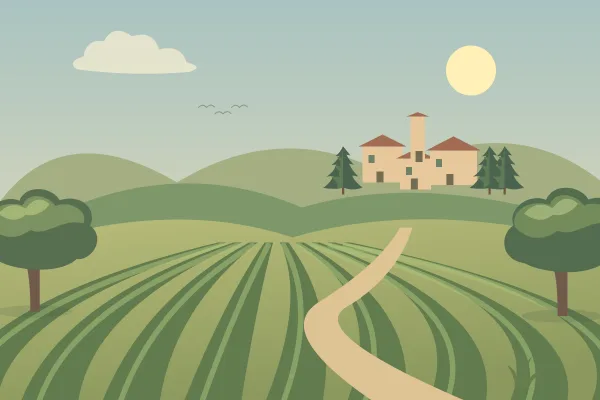
Begin with Tuscan Vineyard or another countryside background. Decide whether your picture is mainly about a house, a village, or the surrounding landscape. That choice tells you where to leave open space.
The starter background already contains a distant village. You can preserve it as the focal point or add a larger building in the foreground. Its existing painted buildings cannot be moved individually.
2. Place the largest building first
Add a building and position its base on visible ground. Resize it until it fits the scale of nearby trees. If it hides most of the landscape, reduce it before adding decorations.
Place the building slightly to one side. This leaves room for a path, open field, or a second group of objects that balances the composition.
3. Add trees to frame the village
Put one tree near the edge of the scene, then use a smaller tree nearer the building. Change the layer order so the building is not unintentionally hidden.
Do not surround every structure with the same number of objects. A small open area can make the village feel clearer and give the viewer a route through it.
4. Finish with small details
Add flowers, rocks, or an animal only after the large shapes work. Use the smallest details near the foreground, where they will remain visible in a downloaded image.
Lock completed objects while arranging the final details. If something feels wrong, remove one element before adding another; the problem may be clutter rather than a missing decoration.
5. Check the finished picture
Deselect the objects and inspect the whole scene. Look for floating buildings, animals larger than houses, or details that obscure the main subject. These are easier to spot at the full-scene view.
Save the editable version and download an image. If you want to share it in the gallery, give it a descriptive title and submit it for owner review. Sharing is optional.
Try it in the editor
Start with the example background, then change one thing at a time.
Open the practice scene